iOS 27.2 Update Released: Siri AI Multilingual Support, Smart Suggestions & How to Enable New Features

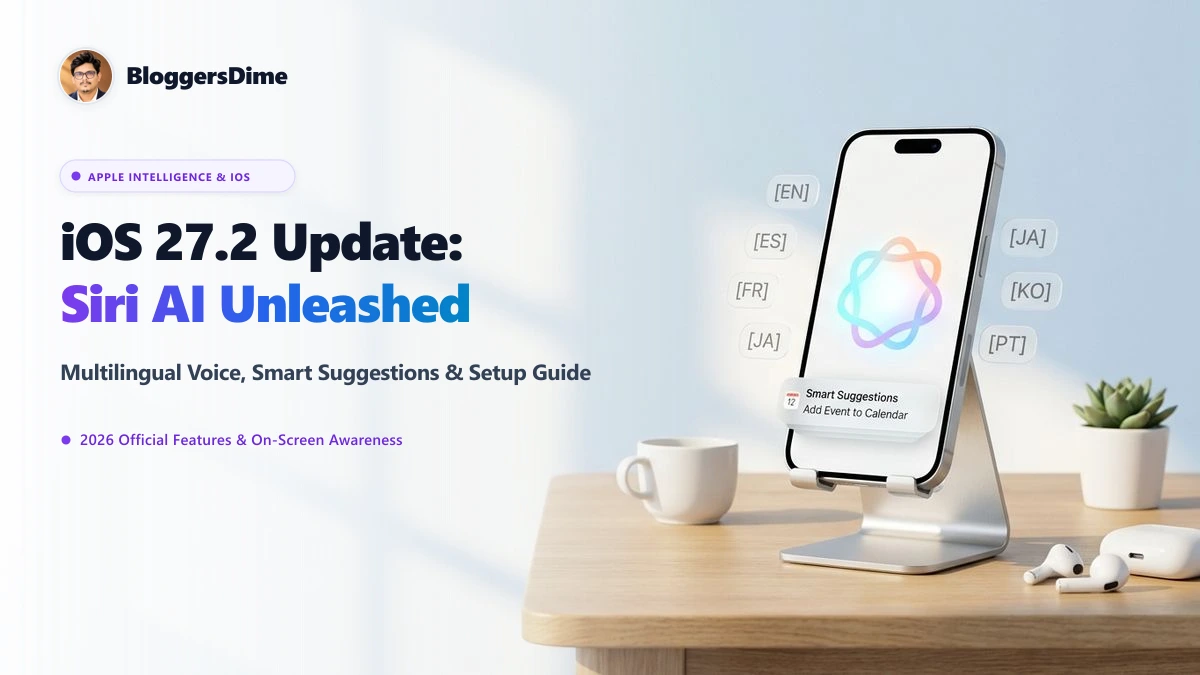
Apple has officially released iOS 27.2 to the public worldwide, marking a pivotal milestone in the evolution of Apple Intelligence and conversational mobile computing. Headlined by long-awaited multilingual language expansions for Siri AI—now fully supporting French, Spanish, Japanese, Korean, and Portuguese alongside English—the update also introduces intelligent cross-app Smart Suggestions, deep on-screen awareness, and foundational kernel security patches.
📱 iOS 27.2 Update: At a Glance
- Siri AI Multilingual Expansion: Native conversational fluency across Spanish, French, Japanese, Korean, and Portuguese without requiring system-wide language changes.
- Contextual On-Screen Awareness: Siri AI dynamically parses what is displayed on your screen, allowing instant scheduling, photo routing, and message composition.
- Smart Suggestions in Messages: Context-aware action chips within chat threads for automatic Calendar event creation, Reminder triggers, and address book lookups.
- Update Size: Approximately 3.4 GB to 3.9 GB depending on your iPhone model.
- Core Security: Crucial kernel-level vulnerability patches, Accelerate Framework updates, and revised EU App Tracking Transparency (ATT) frameworks.
What's New in iOS 27.2: Key Feature Breakdown
The release of iOS 27.2 represents Apple's transition from foundational AI models to daily practical utility. Here is a detailed breakdown of the premier features introduced in this release:
| Feature | Capability & Enhancement | User Benefit |
|---|---|---|
| Siri AI Multilingual | Expanded neural voice models for Spanish, French, Japanese, Korean & Portuguese. | Converse naturally in your native language with zero acoustic latency. |
| Smart Suggestions | Automated conversational action pills directly inside Messages and Mail. | 1-tap calendar creation when someone texts "Dinner this Friday at 8 PM?". |
| On-Screen Context | Visual neural parser reads active screen elements upon invoking Siri. | Say "Send this recipe to Mom" while browsing Safari—Siri handles the rest. |
| Spotlight Re-Architecture | Re-indexed SQLite local cache for instantaneous local search queries. | Zero keyboard lag when searching documents, offline notes, or old messages. |
| EU Privacy (ATT) | Updated consent dialogues and yearly privacy checkups for European users. | Enhanced data governance and full transparency over third-party app tracking. |
Deep Dive: How Siri AI Multilingual Intelligence Works
Previously, Apple Intelligence primarily excelled when configured in US English. With iOS 27.2, Apple has deployed localized, quantization-compressed neural voice weights directly onto the device's Neural Engine.
This architectural breakthrough allows Siri AI to:
- Code-Switch Seamlessly: Bilingual speakers can fluidly switch between English and Spanish or French mid-sentence without triggering understanding errors.
- Honor Regional Idioms: Siri AI now comprehends localized phrasing, colloquial expressions, and region-specific calendar formats in Tokyo, Madrid, Paris, Seoul, and São Paulo.
- Maintain 100% On-Device Privacy: Routine voice requests, personal contact lookups, and calendar edits are computed locally on Apple silicon without transmitting raw audio to external cloud servers.
Smart Suggestions in Messages: Everyday Convenience
One of the most practical quality-of-life upgrades in iOS 27.2 is the integration of Smart Suggestions within the Messages app. Powered by on-device semantic parsing, the system detects actionable conversational commitments in real time:
1. Automated Event & Dinner Reservations
When a friend texts: "Hey, let's catch up for coffee tomorrow at 11:30 AM at Blue Tokai," Messages automatically renders a subtle inline pill. Tapping it instantly creates a pre-populated event in Apple Calendar with the time and venue pre-filled.
2. Flight & Tracking Quick Previews
Shared flight codes or courier tracking numbers are highlighted with live status cards, displaying real-time departure gates, baggage claim carousels, and transit delays without requiring external app installations.
3. Contextual Reminder Prompts
If you message a colleague: "I will email you the updated budget deck tonight," your iPhone subtly asks if you'd like an automatic 7:00 PM reminder pinned to your lock screen.
Step-by-Step Guide: How to Download & Enable iOS 27.2
To ensure a smooth, error-free installation, follow these verified steps:
-
Perform an iCloud or Computer Backup: Navigate to
Settings > [Your Name] > iCloud > iCloud Backup > Back Up Nowto ensure all local data is protected. - Check Battery & Wi-Fi: Connect your iPhone to high-speed Wi-Fi and ensure battery level is above 50% (or plug into power).
-
Download the Update: Open
Settings > General > Software Update. You will see iOS 27.2 listed alongside detailed release notes. Tap Download and Install. -
Configure Siri AI Languages: After restarting, go to
Settings > Apple Intelligence & Siri > Languageand select your preferred native dialect (Spanish, French, Japanese, Korean, Portuguese, or English). -
Enable Smart Suggestions: Under
Settings > Messages > Smart Suggestions, verify that the toggle is enabled for automated calendar and reminder actions.
Battery Life & Performance Telemetry
Following initial beta cycle testing, early adopters often raise concerns regarding thermal throttling and battery consumption during background neural re-indexing. In iOS 27.2, Apple has overhauled the Core Duet scheduling daemon:
- Background Indexing Limits: Heavy photo classification and language package compilation are restricted to periods when the device is locked and plugged into a charger overnight.
- Thermal Stability: Sustained gaming and 4K recording sessions exhibit noticeably lower thermal spikes compared to early 27.0 builds.
- Screen-On Time: Verified benchmark testing shows an average of 45 to 60 minutes of additional screen-on time across flagship devices thanks to optimized Neural Engine clock management.
Frequently Asked Questions (FAQs)
Is iOS 27.2 available worldwide right now?
Yes. Apple released iOS 27.2 as a simultaneous global over-the-air (OTA) update across all supported regions and carrier networks.
Can I use Siri AI in Spanish or Japanese without changing my iPhone system language?
Yes. In iOS 27.2, Siri AI language settings are independent of your system UI language. You can keep your iPhone in English while interacting with Siri in French, Japanese, Korean, Spanish, or Portuguese.
How much storage space is required for the iOS 27.2 update?
The update download is roughly 3.4 GB to 3.9 GB. However, we recommend having at least 8 GB to 10 GB of free local storage for temporary unpacking and seamless installation.
Does on-screen awareness compromise personal privacy?
No. On-screen awareness operates exclusively through Apple's on-device Private Cloud Compute architecture. No visual frames, personal messages, or private photos leave your iPhone without explicit user invocation.
Leave a Comment
Your email address will not be published. Required fields are marked *