7 Free AI Tools in 2026 That Save 10+ Hours of Work Every Week

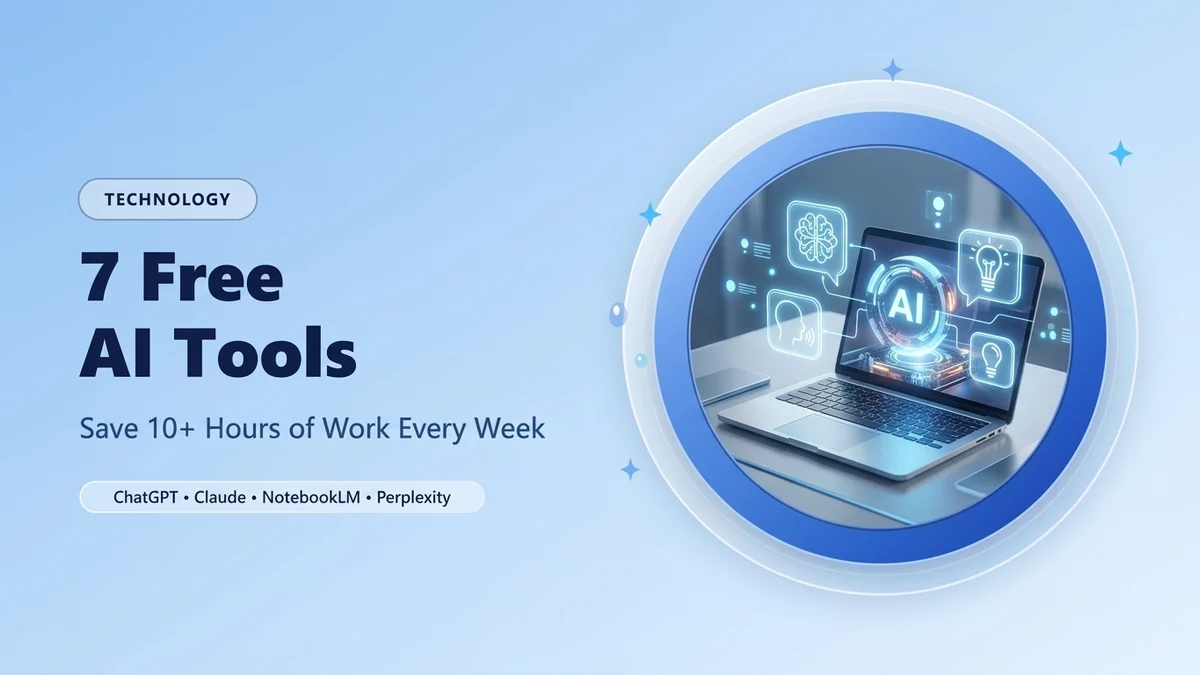
Professionals in the United States, the United Kingdom, Canada, Australia, and across the globe are no longer losing hours to repetitive emails, 50-page PDF reports, manual meeting notes, and blank slide decks. By combining the right free AI tools into a simple daily workflow, you can realistically reclaim 10 to 12 hours of focused time every single week — without paying for expensive enterprise software subscriptions.
⚡ 30-Second Quick Summary (Key Takeaways)
- Best for Writing & Coding: Claude & ChatGPT (Free Tiers) handle 80% of daily drafting, data cleanup, and brainstorming in seconds.
- Best for Research & Fact-Checking: Perplexity AI replaces 20 open browser tabs with cited, real-time answers.
- Best for Long PDFs, Audio & Study Guides: Google NotebookLM (100% Free) turns 100-page documents and YouTube videos into instant summaries and audio briefings.
- Best for Instant Slide Decks: Gamma AI builds presentation-ready decks from a single text prompt in under 60 seconds.
- Total Weekly Time Saved: 10.5 to 13 Hours/Week across email management, research, documentation, and meetings.
The biggest mistake most people make with artificial intelligence is trying to use a single chatbot for everything. In 2026, true productivity comes from matching the right specialized AI tool to the exact bottleneck in your workday. Below is our tested, step-by-step breakdown of the 7 best free AI tools that deliver measurable time savings from day one.
1. ChatGPT (Free Tier with Search, Voice & Data Analysis)
OpenAI’s ChatGPT remains the most versatile all-in-one digital assistant for daily problem-solving, spreadsheet formulas, email replies, and voice brainstorming. Even on the free tier, users get access to multimodal reasoning, file uploads, and live web search.
💡 High-Impact Daily Use Cases:
- Excel & Google Sheets Formulas: Describe what you want to calculate in plain English and get the exact
XLOOKUP,QUERY, orREGEXMATCHformula instantly. - Voice Brainstorming on Mobile: Use Advanced Voice Mode during your morning walk to outline projects, rehearse interviews, or dictate structured notes.
- Data Cleanup: Paste messy CSV tables or unformatted notes and ask ChatGPT to convert them into clean Markdown tables.
Estimated Time Saved: 2.5 hours per week
2. Claude by Anthropic (Best for Natural Writing & Long Documents)
If you ever feel that AI-generated emails or reports sound robotic, Claude is the antidote. Built by Anthropic, Claude excels at nuanced, human-sounding business writing, contract review, and coding assistance.
💡 Copy-Paste Productivity Prompt for Claude:
“Rewrite the following rough bullet points into a concise, executive-ready client email. Keep the tone warm, direct, and free of corporate jargon, and end with 2 clear action items.”
With Claude’s Artifacts feature, you can also preview interactive charts, HTML layouts, flowcharts, and documents side-by-side in real time while editing.
Estimated Time Saved: 2 hours per week
3. Google NotebookLM (100% Free Research & Document Intelligence)
Google NotebookLM is arguably the most underrated free productivity tool available today. Unlike general chatbots that pull from the open internet, NotebookLM lets you upload your own sources — PDFs, Google Docs, website links, and YouTube videos — and creates a private AI expert grounded strictly in your uploaded files with clickable citations.
- Zero Hallucinations on Your Files: Every answer includes exact paragraph citations from your uploaded PDFs or reports.
- Audio Overview (Podcast Mode): With one click, NotebookLM generates a realistic two-host audio discussion summarizing complex reports so you can listen while commuting.
- Instant Study & Briefing Guides: Automatically generates FAQs, timelines, executive briefings, and glossary sheets from raw documents.
Estimated Time Saved: 2 hours per week
4. Perplexity AI (Real-Time Cited Research Engine)
Traditional web search often forces you to click through ten ad-heavy websites just to find a single statistic, software comparison, or regulatory update. Perplexity AI combines live web indexing with AI synthesis, giving you a direct, structured answer backed by numbered source links.
- Market & Competitor Research: Compare software pricing, tax rules, or industry benchmarks in 15 seconds instead of 30 minutes.
- Source Verification: Every claim is linked to its primary publication so you can verify facts with a single click.
Estimated Time Saved: 1.5 hours per week
5. Gamma App (Create Slide Decks & Proposals in 60 Seconds)
Formatting PowerPoint or Google Slides presentations manually is one of the biggest time drains in modern office work. Gamma uses generative AI to turn a simple outline, document, or prompt into a polished, responsive presentation deck complete with layouts, icons, and visual hierarchy.
- Paste your meeting notes or project brief into Gamma and select a clean corporate theme.
- Export directly to PDF or PowerPoint (.pptx), or share a live interactive web link.
Estimated Time Saved: 1.5 hours per week
6. Fathom / Otter AI (Automated Meeting Notes & Action Items)
Trying to take manual notes while actively participating in a Zoom, Google Meet, or Microsoft Teams call splits your attention. Free AI meeting assistants like Fathom (which offers a generous free tier for individuals) record, transcribe, and summarize your calls automatically.
- Generates an instant bulleted summary and a list of assigned action items within 30 seconds of the call ending.
- Lets you share timestamped video clips of key moments instead of forcing teammates to watch a 45-minute recording.
Estimated Time Saved: 1.5 hours per week
7. Zapier / Make Free Tier (No-Code Workflow Automation)
Once you are comfortable using AI for writing and research, the final step is connecting your everyday apps so routine tasks happen automatically in the background. Both Zapier and Make offer free tiers that let you connect Gmail, Slack, Google Sheets, Notion, and AI models without writing a single line of code.
- Example Automation: Whenever a new lead fills out your website contact form, automatically log their details in Google Sheets and draft a personalized reply in Gmail.
Estimated Time Saved: 1 hour per week
Comparison Table: 7 Best Free AI Productivity Tools (2026)
| AI Tool | Best Use Case | Free Tier Highlights | Weekly Time Saved |
|---|---|---|---|
| 1. ChatGPT | All-round problem solving, formulas & voice mode | Web search, file uploads, voice & data analysis | 2.5 Hours |
| 2. Claude | Natural writing, editing, coding & Artifacts | Sonnet model access, document uploads & Artifacts | 2.0 Hours |
| 3. Google NotebookLM | Summarizing PDFs, docs & YouTube videos | 100% Free with citations & Audio Overviews | 2.0 Hours |
| 4. Perplexity AI | Fast, source-cited web research | Unlimited quick searches + daily Pro searches | 1.5 Hours |
| 5. Gamma App | Instant presentations, proposals & slide decks | Free AI credits at signup + PDF/PPTX export | 1.5 Hours |
| 6. Fathom AI | Zoom, Meet & Teams meeting summaries | Unlimited free recording & AI summaries for individuals | 1.5 Hours |
| 7. Zapier / Make | Connecting Gmail, Sheets & workspace apps | 100 to 1,000 free automated tasks per month | 1.0 Hour |
How to Combine These Tools Into a 15-Minute Morning Workflow
- Research (3 Minutes): Use Perplexity AI to check industry news, market data, or technical answers with verified citations.
- Document Digest (4 Minutes): Drop long PDFs or client briefs into Google NotebookLM to extract the top 5 action points.
- Drafting & Communication (5 Minutes): Use Claude or ChatGPT to draft clear client replies, project updates, or spreadsheet formulas.
- Visual Delivery (3 Minutes): Turn your finalized outline into a clean slide deck using Gamma before your afternoon meeting.
Frequently Asked Questions (FAQs)
1. Are these 7 AI tools completely free to use in 2026?
Yes. Every tool on this list offers a permanent free tier (and Google NotebookLM is 100% free). While heavy enterprise users can upgrade to paid plans for higher rate limits, the free versions are more than sufficient to save 10+ hours a week for most professionals, freelancers, and students.
2. Which free AI tool is better for writing: ChatGPT or Claude?
Claude generally produces more natural, less repetitive prose for emails, essays, and business reports, while ChatGPT is stronger for quick multimodal tasks like voice conversations, spreadsheet formulas, and live web lookups.
3. Is it safe to upload confidential company PDFs to free AI tools?
Never upload sensitive banking records, passwords, or strictly confidential client contracts to public consumer AI accounts without checking their data privacy settings. In ChatGPT and Claude, you can disable model training on your chats in the privacy settings, and Google NotebookLM does not use your personal uploads to train global models.
4. Can Google NotebookLM summarize YouTube videos for free?
Yes! You can paste any public YouTube video URL directly into a NotebookLM notebook, and it will instantly read the transcript, summarize key takeaways, and allow you to ask specific questions about the video.
🚀 Explore the Complete Global AI & Productivity Series
- [2026 Comparison] ChatGPT vs Claude vs Gemini (2026): Which Free AI Assistant Is Best for Daily Productivity?
- [Office Automation] How to Automate Daily Emails, Notes, and Spreadsheets Using Free AI Tools
- [Browser & Email Hacks] 10 Hidden Google Chrome & Gmail Productivity Tricks Most People Still Don’t Know
- [Focus Protocol] The "90-Minute Deep Work" Morning Routine Used by Top Silicon Valley Founders
Leave a Comment
Your email address will not be published. Required fields are marked *